
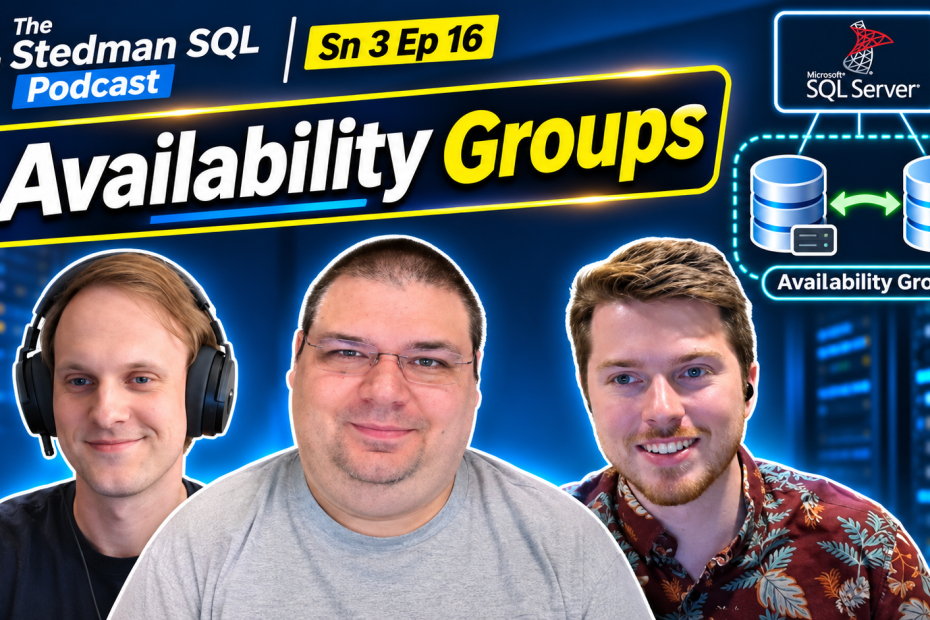
- Hosts: George Stedman / Mitchell Glasscock / Derrick Bovenkamp
- Topic: Availability Groups
- Recording Date: October 28, 2026
- Listen on Spotify
In Season 3, Episode 16 of the Stedman SQL Podcast, Mitch, Derrick, and George dive into SQL Server Availability Groups and explore how they can improve high availability, reduce downtime, and support disaster recovery strategies. The team breaks down synchronous vs. asynchronous commits, automatic vs. manual failover, read-only replicas, reporting workloads, and the importance of proper configuration and testing. They also compare Availability Groups with log shipping, replication, and failover clustering while discussing licensing costs, performance considerations, and common mistakes they’ve encountered in real-world SQL Server environments. Most importantly, they explain why Availability Groups, are NOT a replacement for backups and why proactive monitoring is essential for keeping your databases running smoothly. Whether you’re considering implementing Availability Groups or already managing them, this episode delivers practical insights to help you make better decisions for your SQL Server environment.
Podcast Transcript:
Mitch (00:18)
welcome to the Steadman SQL podcast. we’re on episode 16 of season three. This is actually a re-recording. We had a little bit of a technical difficulty the first time around. So we’re redoing this one, but that means we’re even better at availability groups. the topic for this week is availability groups, and I’m here with Derek and George.
George (00:42)
Eight.
Mitch (00:43)
So we’re it’s kind of a big topic to just say we’re we’re we’re discussing availability groups this week, but we’re gonna try and cover kind of the big overview of what availability groups are and are they worth it for you to set up. So I guess going into the first question, I mean, what really is an availability group? And
What’s it used for in SQL Server?
If anyone wants to take that, I know it’s kind of a a big one, but
Derrick (01:18)
Well, I I would say I would say it’s a it’s a way to have multiple SQL servers. The way that we see it used mostly, I I think we ha we have customers using it in two ways. the first most likely use is you have two SQL servers kind of
active and a passive if you will and it allows you to have high availability and we’ll talk more later today about the difference between high availability and disaster recovery but it allows you to have high availability and do the great majority if not all your SQL patching without any downtime and the Windows patching on those servers so that’s that’s way one is you’ve got your active and passive and way two is we’ve got at least one customer who is using it for a
heavy
reporting. So they have their main replica that all the rights go and then they have multiple reporting replicas so they can
They hit their reporting very hard and if they had that all go to the main replica or a regular AG, they’d have very poor performance. So this allows all those reads to hit those reporting replicas and the rights to hit the main one. So again, that’s that’s kind of two of the main reasons that we see it used for.
Mitch (02:33)
Yeah, I’ll add to that, it’s you can do more than just two nodes as well in an AG. we we frequently see it with, like you said, three, four. I think we’ve seen, I personally have recently seen up to seven. And a lot of that is for disaster recovery. In case one goes down, they have or in case six goes down, they still have one up and running that they can go off of. But yeah.
You’ll set up the the multi use, you’ll have your reads going into one direction and your rights going into another direction. So you can load balance that way.
I guess another question that kind of comes up on how AGs work is what’s the difference between synchronous and asynchronous commits with AGs?
And that’s a bit nitty-gritty, but a lot of people when setting up, one of the first things when you set up the AG is you’re gonna be prompted to figure out which one is gonna be best for your server
Derrick (03:41)
Yeah, I’ll I’ll take that
one again, Mitch. your synchronous commits is your your your zero data loss. So it’s not reporting that the data is written to the application, if you will, until it’s written to both replicas.
so that’s that’s what’s typically used in the high availability layout that I first described. That’s what’s typically used is is the synchronous commit.
There is you do pay a little bit of latency there. So if there’s if they’re if they’re in different data centers and it’s not a low latency connection, that may not be the best method for you, but it does allow for automatic failover. So you want that synchronous commit for an automated failover. That’s why it’s perfect for high availability. The asynchronous commit is potentially a lot better for that second use case, like you said, you saw seven replicas. and that’s where you’re
Writes just need to commit to those primary or the primary part of the AG, and then they will roll out to the replicas as fast as they can. So that’s perfect for that reporting. It’s also perfect if there’s latency between those data centers. So some of our clients don’t have the fastest internet connection between their data centers, and that’s why they need that. but it does open you up to
potential data loss because there’s some time in there. And that is a manual failover only. So you when you trigger that failover there is a time there where you could possibly have some data loss. Now if you should got all your clients out of the system and there’s nobody reading and running to the database and you do the failover, you’re not gonna have data loss. But that’s the main difference between those two.
Mitch (05:22)
In most use cases we would probably say synchroneous commit is the answer ninety nine percent of the time in in most
Derrick (05:29)
Yep. Yeah, that’s the default.
Mitch (05:31)
configurations, yeah.
speaking of that, automatic versus manual failover. you you kind of touched on manual failover there.
Derrick (05:41)
Yeah, so
So I do again the the majority of customers I support are high availability, so it’s just the two. And you have that automated failover if one of those servers just kicks the bucket for a reason. but the manual fellover we use anytime we’re doing updates, and we wanna get that we wanna get that primary workload on a certain server so we can do updates on the other servers. So I’ll give you a great example is when I do Windows updates and SQL updates for my customers is I’ll go
Find whatever server isn’t the primary, I will do all my updates on it, and then I’ll do a manual failover when I do that manual failover. I always like to check and look at the SP Who and see who’s connected and make sure that all those connections stay and make sure everything’s working normally after I do that manual failover. Once that’s done, then I will update the first server. But again, if I’m in that synchronous commit mode, even though I make the manual failover, I’m not losing any data.
Mitch (06:37)
Very cool. That’s the the big high level overview of AGs. we can keep discussing each little feature of an AG, but that would be a whole other podcast on how to set one up. And here’s what this option does and what this one does. So going on to the next topic is why why use an AG? and and what business use cases is it the best for? And we’ve we kind of already covered that with reporting. That’s a really common one that we see.
But more so, I think we’re seeing a lot of people going there for disaster recovery. And like you said, having multiple data centers.
Derrick (07:17)
Yeah, and that’s where I always want to the way that I word it is I say high availability and I try to share away from disaster recovery. It
is a portion of your disaster recovery, but you still have to have backups. Having an A G is not an excuse to not be doing the backups that you need because if somebody goes in and
deletes a table, that’s gonna be deleted on both both your replicas. So it it it’s the perfect thing for maybe a hardware problem, that type of thing. that’s the most high high availability. also reducing downtime, some of our customers just cannot take a downtime or taking a downtime is very, very difficult. so it is perfect for reducing a downtime.
George (08:02)
Also there’s a lot of clients that just don’t want to do that late night downtime. And if there’s an option not to do the late night downtime, they’re all about it.
Mitch (08:11)
one of the other topics that’s kind of been proposed recently is the the downside of having your entire AG in one service. So without saying like a service provider name for VMs, what happens if that entire service provider would go down? So
George (08:30)
having both
your AGs in an at in Azure or
Mitch (08:34)
Right.
George (08:34)
like having them both in the same rack in the data center. Yeah.
Mitch (08:37)
Right. Right.
George (08:40)
that’s good that still gives you that high availability for updates and it gives you some like data protection in case like a disk goes bad, but it’s not gonna give you any kind of like big disaster recovery, like if the data center gets wiped out or and if they’re in the same data center, it’s typically the same network. So if they get
ransomware, it they’re pretty much right next to each other. So both machines would probably be hit. That’s why it’s really important to always have those backups in a safe spot. and that’s where having a pair like maybe one, ha adding an extra node that’s maybe asynchronous that pushes off site somewhere. So that you can you have somewhere that’s a little more isolated that you can recover to.
Mitch (09:23)
I think it’s important to add to the entire discussion that having an AG is not a replacement for a backup strategy.
George (09:31)
I think one of the main
uses we or we we do a lot of backups in our line of work and I think a majority of the time it’s not cause something bad or not because something unavoidable happened, it’s cause somebody changed something in a table they weren’t supposed to. Uh
Mitch (09:46)
Yes.
George (09:46)
and it that’s gonna happen to both tables or both databases in in an AG.
Mitch (09:51)
Agreed. One thing that is cool that I always am a proponent of setting up is offloading your backups from your primary server. It’s another load balancing thing, but I really like doing this is your primary backups or your fulls and your diffs are going to come off of your main node of your AG, but you can send all your log backups to your secondary and have all your backups, your log backups done there, which is a nice load balancer there. but
Always have your log backups in place because the AG is not a replacement for doing this.
Let’s see. A couple other items on AGs. I’m trying to think if there’s any other kind of fringe use case that we’ve seen AGs really fit that niche.
George (10:40)
we had
one client that had multiple they had servers in multiple locations across the US and in other countries.
Mitch (10:49)
Yeah.
George (10:49)
And they had the A G synced across zones and most of them were only read only so that they could pull data in the different zones, but the rights actually had to go all the way back to the main nodes still.
Mitch (11:02)
Right. So you’re saying having more like geolocations reduces latency for reads?
George (11:08)
Yeah, especially when you have a a web server or some kind of app that needs to actually run in each geolocation.
Mitch (11:16)
Yeah, yeah, okay. That’s one that I did not think of, but it makes sense. I guess the flip side of that, when is when is having an AG overkill? If someone asks, like, hey, we should w we’ve been looking at an AG and would you ever s kind of stray them away from this setup?
Derrick (11:35)
Yeah, well I think this is a perfect one. It leads right into our next topic, which is availability groups versus other SQL Server options. And you know the
The primary thing with AGs is one of the Microsoft limitations is you can set up multiple availability groups, but if you’re running SQL Server standard, you can only have one database in that availability group. Now there’s some tricks to that. There’s some Amazon stuff that creates multiple AGs on the same server. You could do the same thing yourself, especially with some PowerShell scripting. But the majority of our customers that have availability groups are running SQL Server Enterprise, because that makes it easy for them to.
Have all their databases in one availability group. so there’s a lot of times where just, you know, if you’re not already licensed for SQL Server Enterprise, that uplift is enough to turn customers off. there’s also other customers where taking a downtime is not a problem for them. You know, nobody likes downtime, but we have some customers that have very
regular maintenance windows and being down for two hours for Windows and SQL updates every Saturday or every other Saturday is not a problem for them. and that could be one where you go, you know what, maybe maybe you don’t need an A G. You don’t need this extra money if it’s enterprise.
We love availability groups, we use them all the time, but there is a little bit of management overhead and setup overhead to them. And that’s not always the right scenario for every business use case. So I think, especially when you work with us or if you’re just listening to this podcast and you’re gonna set up an availability group on your own, certainly think about is an availability group the right option? Is replication the right option? there’s some customers we have where log shipping is the perfect option for them at availability.
Mitch (13:35)
Yeah. Yeah. For sure. you mentioned replication and log shipping, which are a bit more of a redundancy point of view, correct?
Derrick (13:45)
Yeah, it depends. log shipping, you can have log shipping. there’s somebody I’m thinking of in particular that we have log shipping set up and we actually have it set up in a way that it restores to a read only. So every time it restores that log, it’s read only and they use that for reporting. they would potentially be if if if if their reporting needed more horsepower, they would potentially be a good option for
availability groups, but in this case it was only one database and log shipping was the perfect option for them. It it was the right balance of cost to complexity. now if they told me Derek we wanted all our databases to do this, yes log shipping may still be the right option, but it may not. that’s tip and then we have other people where log shipping is it is strictly a DR thing. So there is no read on the other side. It’s just restoring them.
restoring those logs. so I usually log shipping is more DR related.
Replication, and George feel free to step in. You and I work on some customers together that do
George (14:47)
Yeah.
Derrick (14:47)
a lot of replication. but replication is more used for hey, I need this to be active and active at the same time. And maybe I only need one table from this database in this database over here in another data center. Um and they’re
George (15:04)
Yeah. I would say replication’s
really really popular with like businesses that have lots of locations. Like say you have a store and each store has its own local database and it just needs to sync its inventory to the main inventory and you do merge replication that way so that it it only updates its inventory in the main database and the mi the big main data center has
every store’s inventory available to it, but each store only has their inventory local so that they can make transactions to that really quickly.
Mitch (15:42)
So more of a a spoken wheel, I think is the or the hub
George (15:44)
Yeah, yeah.
Mitch (15:45)
hub and spoke setup. Um
George (15:48)
It’s
one of those terms, yeah.
Mitch (15:50)
Term, but yeah, that’s where you would look at replication. So they each have their own specific use case that’s gonna be the best fit. it it just depends on the needs of the business, really. where I think we see I I I would be comfortable saying I think we see AGs most often as a broad use case. but stuff like log shipping and replication fit
in.
certain areas where they are definitely needed and they are the better option.
Derrick (16:22)
Yeah, and and one of the limitations there is with an availability group, you’re talking about obviously doubling your compute, but
Mitch (16:30)
Yeah.
Derrick (16:31)
you’re also doubling your storage. And that that for some customers with with lots and lots of data, that can get very expensive very quickly.
We do have some people that we work with that use failover clusters. And that’s where you have two SQL servers. One is com basically off and the other one is on and they share the same storage on the back end. So you’ve doubled your compute, but you haven’t doubled your storage. So failover clustering is another option. I would say
it’s falling out of use. a lot of people are more on the availability group train now. but there are some instances where fillover clustering may be the right answer for a client.
George (17:19)
Yeah, and since you brought up costs, Derek, um the
Derrick (17:22)
Mm-hmm.
George (17:22)
other thing that I don’t know if everyone always knows when they switch to an availability group, but you are also potentially doubling your license costs for SQL Server. And if you have lots of cores that can get that’s that double could be a lot of money. Um
Derrick (17:39)
Yeah.
George (17:39)
but there’s a I think if you get if you make sure that that secondary is purely read only, you only really
pay the right licensing costs on the primary. And I’m not a hundred percent sure on the actual how Microsoft deals with that licensing. I think Derek is a little more I think you’ve dealt with that a little bit more.
Derrick (18:00)
Yeah, no
great answer, George. And I believe Microsoft calls it kind of failover passive rights and usually the limitation on that is if you have software assurance. So if you’ve bought your copy of SQL Server and I I’ll call it the old school box, they never send you boxes anymore. Uh but if you’ve bought that as a one time purchase with no upgrade.
rights, you typically would need to double your licensing like George is talking about. However, if you bought it with software assurance, which means you’re gonna get all the upgrades, the
you usually get the uh failover for free. But again, if you’re using that failover for reading, in a reporting, then that that’s not free. So I would say work with your work with your vendor that’s selling your SQL Server licensing and make sure you buy the proper licensing for what you need to do.
George (18:58)
Yeah, ’cause that’s potentially big savings ’cause those especially with big high course SQL servers, that doubling your licensing can be quite a pretty penny.
Mitch (19:08)
Yeah, agreed. that’s kind of getting also into the architecture side of it. We’re talking about cores and kind of the setup. one of the questions that’s come in is do both of the machines, if we’re doing just a two-node AG, do both of the machines need to be the exact same set?
Derrick (19:26)
I guess technically no. I like to keep them the same though, because what you don’t want to happen is if you’re you’re if you’re using this for high availability and you need to fail over, you need to fail over for updates, you don’t want a server with far less cores and far less RAM. because then you’re gonna have good performance and now all of a sudden terrible performance. so
there’s there’s you’re not technically limited there, but I would call it good practice limited.
Mitch (19:57)
Yeah. I I would say if someone asked me that, it depends. are you it of course the the answer is always it depends, but is your use case to have it as a high availability and is it gonna fail over? Do you do if it does fail over, do you want it to keep chugging along and like you don’t even notice? If not, then you know it’s a second location. Maybe you’re using it only for read only and very for a very light workload. You could probably get away with lighting the the overall specs of that machine, but
Yeah, I agree.
See, so a little bit more on the the architecture side of it or a bit more into the nitty gritty. One of the things that comes up is when you set up the Windows failover clustering, it a common question is what really is the cluster quorum that we’re setting up there? What how is that all working? It’s even in a two node.
machine, there’s three parts of a quorum. What’s going on in that back end setup there?
George (21:03)
yeah, typically like I I I just set up a Linux AG and you actually need like three SQL servers for that one. because you you one is c considered a configuration only, but with Windows you can use I think you can either use a I think you use a file share as a quorum.
and it it’s just a third machine to say,
Hey, are you alive? So if if the ping if the two machines can’t ping each other, the the that that third one has to agree, like, yeah, he’s dead. Like you can take over control.
Mitch (21:35)
Yeah. And in the case that one does go down, what’s kind of in in a generalized terms, what’s the response time between one server going down and the quorum recognizing it and sending everything to the second server?
George (21:47)
It really depends on how it goes down. I would say there’s cases where it might not fail over automatically if it if it does like kind of a so sometimes the SQL Server will lock up, but it’s still responsive. So failing over would fix the issue, but it’s locked up. But that’s pretty rare. a more majority of the time if the SQL service stops, it’ll be like, it’s not there, and it will flip over within five minutes. Or I think you can set the threshold on
How often it checks in.
Derrick (22:15)
Yeah. W
what we’ve normally seen is it’s usually pretty instant to a true failure. yes we’ve seen sudden issues where maybe there’s another application on that SQL server that’s using up all the CPU and memory and you know the SQL server’s not actually down, right? so it’s not gonna fail over. But usually it’s pretty instant or just enough to know like there’s an issue and it’s fixed. However, this is where I wanna pop in,
This depends
This depends on your your your availability group setup. So there’s some where you have two at the same data center, they’re on the same subnet, and they share the same IP. The I the IP of the SQL listener moves between them. And we’ll talk about that a little bit more if we get in this. But when you have an availability group, you have a listener and you point all your applications at that listener, and that listener, if it’s a single data center, moves between the two servers. However, if you’re setting up a
really redundant availability group that’s in maybe two data centers, or if you’re in Azure or you’re in Amo Amazon S3 and you set it up cor when I say correctly following all their recommendations and following
Microsoft’s recommendations, you’re gonna have two different subnets. And the listener moves, but it’s its IP address changes when it moves. So some applications handle that very well and it’s an instantaneous switch. Some applications do not handle that change well.
and they require time to realize, it’s it’s at this other IP now. so this is why we would we always encourage when you set up an availability group, test it out, do a manual failover. Do your applications respond instantly? Or George I think
you and Mitch share a client where their applications take like thirty minutes and we think there might be a DNS thing going on in there, but there there’s some people where there’s it it could take a long time to realize that it’s moved over. so
George (24:16)
Yeah, I think
I I think that’s also just what the way that it was a RDS client and uh
Derrick (24:21)
Yeah.
George (24:22)
it’s the way the RDS handles updates too is like you hit the go button and it’s like well I’ll flip over sometime in the next ten minutes and then sometime in the next ten minutes and then it it it’s triggers the D DNS change and then the app has to figure out sometime in the next ten minutes that it’s on the new IP and switch the connection over and um some apps are
I was saying some apps are way more resilient to that, like Derek
said, but
Mitch (24:47)
Yeah.
And we’ve seen cases where applications just leave connections hanging open, like they they didn’t realize that it flipped over. And so it’s just like, well, whatever request was being sent out that time is just gonna sit there until either you manually recycle or it hits a really long timeout period, which then it will hit that new IP. that
jumps into a bit of the configuration side. I don’t think we’ll dive into the full, every step that you need to follow. I guess to wrap that up, it is worth it. If you’re using a software package, it’s worth it to speak to your vendor and figure out, you know, is this software gonna play well, play well with an AG? It’s that’s one of the questions to ask prior to making the full jump into that world. Um
George (25:37)
Yeah. So if
we’re gonna go into the configuration, I think there’s kinda several ways to go about it. Um the
Mitch (25:45)
Mm-hmm.
George (25:45)
easiest way to set up a AG is inside of a Windows domain on Windows machines. with an SMB share is or not yeah, as a with an SMB share as your listener, because you only need so two nodes. and it uses a domain user to create that.
link between the the two Windows servers for the AG. You can also do it with certificates instead. Derek has done that when the domain has failed to keep the SQL servers in sync. So yeah you can set it up with a with a domain as your kind of connection or you can set it up with certificates direct peer-to-peer as your connection and the Linux setup
If you’re gonna set up an AG in Linux, it does you you need to do the certificate because you and then there’s a lot of nitty-gritty options when you do set up an AG. Like you can you don’t have to sync all the databases, you can just sync some of them.
And yeah, there’s I mean there’s so much to go into. We probably will eventually put out a availability groups class
Mitch (26:53)
Yeah.
George (26:53)
uh on our on our teachable. But uh
Mitch (26:55)
I think the the
biggest issue with trying to f teach someone how to build an availability group is that each host is vastly different in its setup protocol. if you’re on
George (27:05)
Yeah.
Mitch (27:05)
Azure, if you’re doing hard rack by yourself, if you’re on like Derek said, if you’re on AWS or Amazon S3,
George (27:14)
Yeah, a AWS doesn’t even really tell you it’s an AG.
Mitch (27:17)
Mm.
George (27:17)
they just say it’s multi-zone. and you j it i it’s it is a it is officially an availability group, but it they just call it multi-zone and they set it up a little different. But it it does all the same things.
Mitch (27:30)
There’s a lot of trial and failure or trial and error to get AGs up and running, but by the time you’re in SSMS and you’re going through the SSMS wizard, you’re almost there. That’s probably the easiest part of getting them going.
George (27:45)
And the the cool thing I I would say with availability groups versus replication or log shipping it or I guess log shipping’s usually pretty reliable, but I feel like every time I’ve actually fully set up an a G, it’s pretty much been flawless after you get through all that setup. Like
Mitch (28:01)
Yeah.
George (28:01)
it it usually works really darn well. And like replication you can have a bunch of like you c almost constantly have to manage conflicts. but with an AG it just kinda works.
Mitch (28:12)
Yeah.
Derrick (28:13)
Yeah, I I would agree. I think they’re pretty generally pretty reliable. they are definitely unless you’re doing authentication with
Or sorry, unless unless you have the AGs talking to each other with a certificate, they’re definitely reliant on your Active Directory not having any issues. we’ve had some issues with Active Directory upgrades causing that, or just s something with the trust relationship with the computer having an issue and we’ve had to go to certificate base to fix it and change back.
Mitch (28:43)
Alrighty. we’ve kind of covered over these next topics. We’ve gone over async and synchronous or we’ve also gone over automatic and manual failover. Is there anything else you’d like to to cover in that? It’s kind of a
Can’t think of anything else that anyone would need to know.
George (29:00)
I we we touched on
most of it because we we did I think the next part we could probably go to is man, what are common mistakes we’ve seen? Eric? You bet
Derrick (29:13)
let’s see here. Sometimes, you
know, sometimes I try to tune all those out, right? You know, like you you forget
George (29:18)
Yeah.
Derrick (29:19)
the you forget you forget the mistakes of you know help helping a customer out. I I’m not gonna say it’s common, but I did touch on it earlier. You certainly have if you’re if you want to do synchronous
commits and you’re in two different data centers, you need to make sure that the latency is okay for that. And there are some there’s some kind of rules of thumb and good practice there, but make sure you’re reading the documentation. And if you have a really high ping time between those data centers, synchronous commit is not for you. So that that would be one of them. And I’m sure George you have another one, hopefully hopefully at the top of mind.
George (29:52)
Yeah.
mine was gonna be because Windows AGs are reliant on the domain working, if you do
Derrick (30:00)
Yeah.
George (30:01)
have a customer that because we just usually deal with customers dom uh SQL servers. So we had a customer that they upgraded their domain and I think they just kinda gave us a poke. They’re like, Hey, we’re gonna do this. And we’re like, Okay, it should be fine, but well we came in or we
We’re checking on their servers on Monday and we could fail over, but after we rebooted one of the machines it like didn’t want to connect to the AG anymore. And that’s where Derek had to switch him over to certificate based so then we could ba fail back over and then reboot both of them by just flipping them back and forth until they were both fully connected back to the the upgraded domain controller.
Derrick (30:37)
Yeah, and unfortunately
fortunately that did the reboot fixed the issue there. But yeah, that was that was a fun one. I think the other one too, we did touch on this earlier, but I it’s a good to continue to hammer it in is treating your A G as your backup. and I and I have heard somebody comment, Well, we’re an availability group, like we’re good to go. and it’s like, Whoa, well, you know, w what’s your backup strategy? so that that’s not your
only solution. It’s it’s high availability, it’s not backup.
George (31:08)
And to touch on that too, that brings up what I was gonna say is the people put too much trust in the automatic failover sometimes. and they kind of assume that it will just keep things going no matter what, and then they don’t have a fully documented like switchover plan or like they don’t have a like a a DR process for if it doesn’t switch over. Like what to do.
Mitch (31:34)
Yeah. I think alongside that is not having monitoring set up. I mean, we we have database health monitor that so rolling back just a second, there’s not nothing in management studio beyond the dashboard that tells you, I’m the secondary or I’m the primary, which server is which. It doesn’t just send out an email alert that you’ve had a failover.
there’s not great monitoring set up naturally in it, which is okay. I mean, it does what it needs to do, but with database health monitor, we have it so you can set up alerts. So as soon as it fails over, you’ll get an email alert pushed and you can investigate the reason why. So just silently letting failovers happen can be a pretty bad buildup. And it’s it’s something that builds up over time. If you keep letting it fail over and you don’t know why, or you don’t even know that it’s happening over and over again.
There’s some root problems that you need to figure out.
George (32:32)
Yeah, I was gonna say if if it silently fails over and you never know it’s on the secondary and the primary’s having issues, and then when the secondary finally has issues, you’re you you have no servers left.
Derrick (32:37)
Yeah. That’s that’s you wan you
Mitch (32:42)
Yeah.
Derrick (32:42)
definitely wanna have some monitoring and you know, like that’s the worst case, right? Is that you one of them’s down and you don’t even know it ’cause you haven’t been monitoring. Um
Mitch (32:51)
Yeah.
Derrick (32:52)
I’ll I’ll tell a little bit of a funny story is is we did have a client before they had us take over the Windows patching and again I think they were just doing what they always did, so I’m not pointing any fingers, but we had a client where their their team would go in and do Windows updates and w we put our monitoring in. and they were new to us and you know, all of a sudden we would have
Outages. Alright. And in the the the A G wasn’t out, but we would have a SQL we we would have the A G go into what we would call I guess a failed state where it’s failed over but it can’t talk to the it’s secondary. And they basically were just doing Windows updates, without even thinking about the AGs. So
In and for this it worked out fine with their application. They it failed over no problem and they didn’t have any issues, but because we had our monitoring in place we’re able to see hey, wait a minute, we didn’t know you guys were doing updates. so you definitely do want to have the monitoring in place.
Mitch (33:50)
Right. Well, I think that covers most of the the big ticket items on AGs. there’s so much that goes into it with any with any topic that we go into. There’s so much more that we can cover and teach people about, but I just don’t think we have the time for it today. I guess some final takeaways. I know Derek, you’ve mentioned it a couple times, George, you’ve mentioned it, but AGs are not backups. I we’ve we’ve heard that a few too many times. Having an AG is not
in place of a backup strategy. So always have that in place.
George (34:20)
It’s
it’s one of the many tools to put in your recovery tool belt. Um
Mitch (34:26)
Yeah.
George (34:28)
it’s fantastic at what it does, but yeah, it’s not gonna it’s not a like a one one size fits all either.
Mitch (34:36)
Yeah, yeah, I agree. And and how going straight into an AG is not a one size fit all solution either. It may not be the best choice for you. So, understanding what options are out there and figuring out what’s going to be the best for your business case is important before committing to it. I’m trying to think, do you guys have any other kind of final takeaways or any other kind of final hammer at home topics you’d like to cover on AGs?
George (35:04)
I I w one thing we always like to do is especially if you set up your own AG, test test failovers, test test the application, connecting to it, connecting to the listener, connecting like just test as much stuff as you can with them because like I said, the the configuration at the beginning is the most finicky thing. but if you’ve tested it properly and you’ve gotten it running, as long as you’ve made sure to test everything, it’ll be super smooth.
Mitch (35:31)
Derek, any final closing statements?
Derrick (35:35)
I think you guys you guys hit in on everything. I think we covered everything. I would say certainly if you have any questions about availability groups or anything else SQL Server related, feel free and reach out to us and we’d be happy to talk to you.
Mitch (35:49)
Indeed. Yep. We’re always here to answer those questions on anything that you might have SQL Server related. So all righty. Well I think that is the end of the podcast. So thank you for listening to the Stedman SQL podcast today.