
SQL Server TDE Implementation Service
We enable Transparent Data Encryption on your SQL Server, back up the certificate, prove the restore on a second server and hand your team the documentation. Most servers are done in a single short change window.
US-based SQL Server specialists since 2015. No cost, no obligation.
Why teams call us about TDE
Most TDE projects start with a requirement from outside the database team. If one of these sounds familiar, we can usually close it out within a week.
An audit or framework requires encryption at rest
HIPAA, PCI DSS, SOC 2, GDPR, state privacy laws or a parent company policy says database files and backups must be encrypted.
The cyber-insurance renewal asks the question
The questionnaire wants a yes to “Is data encrypted at rest?” and the renewal date is close.
A customer sent a security questionnaire
A prospect or a large customer will not sign until the answer about database encryption is yes.
You moved to SQL Server 2019 or later Standard Edition
TDE used to need Enterprise Edition. On Standard Edition 2019 and newer it is included, and nobody has switched it on yet.
You inherited an encrypted server and nobody has the certificate
The previous DBA enabled TDE. The certificate backup, if it exists, is somewhere nobody can find, and a server migration is coming.
A restore failed with “Cannot find server certificate with thumbprint”
The backup is fine. The new server cannot open it because the certificate was never exported. We can help you recover from this and make sure it does not happen again.
Encryption at rest, done by people who do this every month
Transparent Data Encryption (TDE) encrypts your SQL Server data files, log files and every backup taken from them, so a copied backup, a retired disk or an exposed file share gives an attacker nothing readable. Your applications keep working without a single code change.
We implement TDE for you: we check that your edition and version support it, create the key hierarchy correctly, enable encryption in an agreed window, back up the certificate and private key, prove that a backup restores on a second server, and hand your team a short document that says where everything is. A small server is usually finished in a one-to-two-hour change window; large databases encrypt in the background while they stay online.
What TDE does, in plain English
TDE does
- Encrypt data files, log files and backups on disk
- Work without changes to your applications or connection strings
- Come with SQL Server Standard Edition from SQL Server 2019 onward, and with Enterprise Edition since 2008
- Satisfy the encryption-at-rest line in HIPAA, PCI DSS, SOC 2 and most cyber-insurance questionnaires
TDE does not
- Encrypt data in transit (that is TLS) or in memory
- Hide data from anyone who already has permission to query it (that is Always Encrypted or column-level encryption)
- Protect you if the certificate is lost: without it, every backup is unreadable, which is why the certificate backup is part of our work, not an afterthought
How the keys fit together
TDE uses a database encryption key stored inside the database. That key is protected by a certificate in the master database, which is protected in turn by the service master key and a database master key, or by an external key store such as Azure Key Vault through Extensible Key Management. We create each layer with strong passwords and document where they live. TDE costs a few percent of CPU on most systems; we measure before and after and tell you what we saw. Once any user database is encrypted, tempdb is encrypted automatically.
TDE compared with the alternatives
TDE is included in SQL Server Standard Edition from SQL Server 2019 onward and in Enterprise Edition since SQL Server 2008. Azure SQL Database and Azure SQL Managed Instance turn it on by default. Backup compression still works with TDE on SQL Server 2016 and later once the backup is configured for it; we set that up as part of the work.
| Option | What it protects | Application changes | Where it fits |
|---|---|---|---|
| Transparent Data Encryption (TDE) | Data files, log files and backups at rest | None | The default answer to “encrypt the database at rest” for compliance and insurance |
| Always Encrypted | Specific sensitive columns, even from DBAs and server admins | Driver and sometimes query changes | Card numbers, national IDs, salaries; often used alongside TDE |
| Backup encryption only | Backup files, not the live data files | None | Backups leaving the building when TDE is not an option |
| Volume encryption (BitLocker, SAN encryption) | The disk while it is out of the machine | None | Lost or stolen hardware; does not protect backups copied elsewhere and does not satisfy most auditors on its own |
Not sure which one your auditor means? Ask us on the free call.
What is included in a TDE implementation
We do
- Review your edition, version, database sizes, backup jobs, Availability Groups, log shipping and anything else TDE touches
- Create the database master key, server certificate and database encryption key to Microsoft’s current guidance, with strong passwords stored in your vault, not on the server
- Enable encryption in an agreed change window; large databases encrypt in the background while users keep working
- Back up the certificate and private key, and write down the restore procedure
- Restore a backup on a second server so you know, not hope, that the certificate backup works
- Re-check backup compression, tempdb and replica settings after encryption
- Hand over a short document: what was done, where the keys are, how to rotate them, what to monitor
What we need from you
- sysadmin access or a screen-share session with someone who has it
- a maintenance window, usually one to two hours for a small server
- a password vault or sealed location for the certificate password
- a second instance for the restore test (a test server is fine; we can help set one up)
Fixed quote before any work begins.
How it works
30 minutes
Free 30-minute consultation
We look at your editions, versions, database sizes, backups and replicas and tell you plainly whether TDE answers the requirement you have been given. You get a fixed quote afterwards.
Usually 1-2 hours
Implementation in a scheduled window
We create the keys and certificate, enable encryption and watch the initial scan. Databases stay online; a small server is usually done in one to two hours, larger ones encrypt in the background over a longer window.
Same day
Verify, back up, hand over
We back up the certificate and private key, restore a backup on a second server to prove it, re-check compression and replica settings, and send your team a one-page record of what was done and where the keys live.
Afterwards, optional: we can keep an eye on certificate backups and encryption state for you through Database Health Monitor or our managed services.
Not sure whether TDE is the right tool for your situation?
A 30-minute call is usually enough to tell you whether TDE, Always Encrypted or a different control answers the requirement you have been given.
After TDE: the certificate matters as much as the backup
Once a database is encrypted, every backup of it is only as good as the certificate that can open it. The most common TDE emergency we see is not a slow server; it is a restore on a new machine that fails with “Cannot find server certificate with thumbprint” because the certificate was never exported. We make sure that cannot happen to you.
Backed up and stored off the server
The certificate and private key are exported with a strong password, and the password lives in your vault, never in a script on the server.
Proven, not assumed
We restore an encrypted backup on a second instance during the engagement, so the procedure is known to work before you need it.
Watched after we leave
Database Health Monitor reports on TDE status and on master keys and certificates that have never been backed up; our managed-services clients get that checked for them every day.
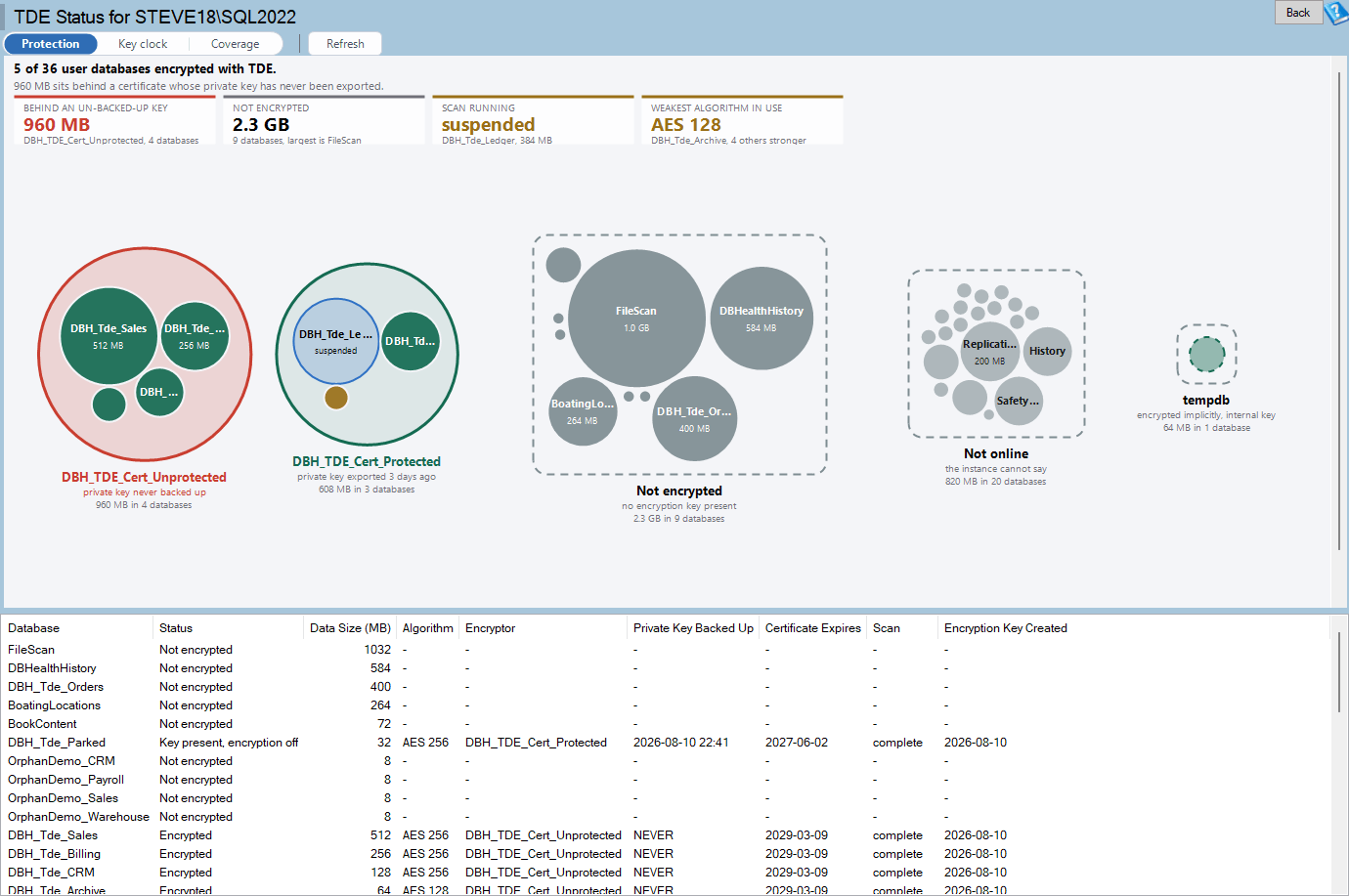
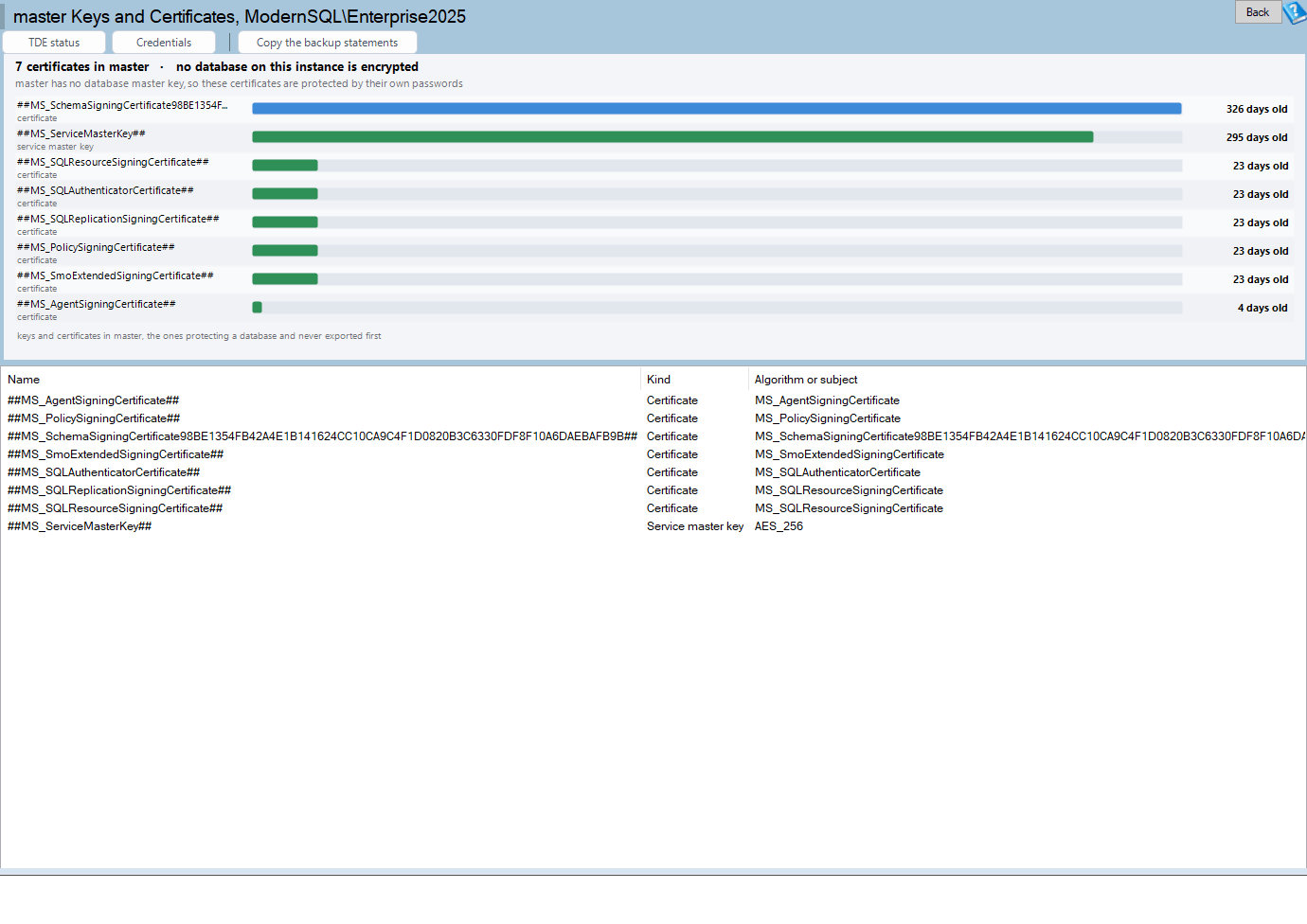
Read more: Backing up TDE certificates and The restore that cannot open.
Since 2015US-based SQL Server specialists
1-2 hourstypical change window for a small server
Every timecertificate backed up and a restore proven
2019+ Standardor any Enterprise Edition since SQL Server 2008, on-premises or in an Azure VM
What clients say
The team is very knowledgeable and easy to work with. What I liked most is that unlike a typical consultant, they did not just make recommendations, present them and leave; they worked with us to implement the recommendations in our test and production environments and followed up to make sure they had the desired effects.
Scott Effler, Director of Software Engineering
The amount of planning, automation, and pre-migration best practice configurations ensured that everything went very smooth. … We really appreciate having SQL experts in our corner for our SQL problems, who are willing to provide us with expertise, guidance, and problem resolution whenever the need arises.
Bryan Miedzinski, Manager, iCONECT Assist
Trusted by E-Hounds Inc., iCONECT, Skagit Radiology, Paystream and Unity Care Northwest

Who you will work with
Steve Stedman founded Stedman Solutions in 2015 and has worked with SQL Server since 1990. He hosts the Stedman SQL Podcast, built Database Health Monitor, and personally runs or reviews every TDE implementation we deliver, together with a small US-based team.
Watch: TDE explained in 20 minutes
Stedman SQL Podcast, season 2 episode 18: episode notes. Shorter videos: Enabling TDE in SQL Server and What TDE does not do.
Questions we hear before the first call
Does TDE slow down SQL Server?
A little. Encryption and decryption happen at the I/O layer and cost a few percent of CPU on most systems. The initial encryption scan is the heaviest part, which is why we schedule it and watch it. We measure before and after and tell you what we saw.
Is TDE available in Standard Edition?
Yes, from SQL Server 2019 onward. Enterprise Edition has had it since 2008. Azure SQL Database and Managed Instance encrypt by default.
Does TDE encrypt my backups?
Yes. Every backup of an encrypted database is encrypted and can only be restored on a server that holds the same certificate.
What happens if the certificate is lost?
The database and every backup of it become unreadable. That is why backing up the certificate and private key, storing the password outside the server and proving a restore on a second instance are part of our standard work.
Can I still use backup compression?
Yes, on SQL Server 2016 and later, with the backup configured for it. We set this up and check the resulting backup sizes with you.
Does TDE work with Availability Groups, log shipping or mirroring?
Yes, as long as the certificate is installed on every replica or secondary first. We handle the order of operations so the secondaries never fall out of sync.
How long does it take and will anything go offline?
Databases stay online. A small server is usually done in a one-to-two-hour change window; large databases encrypt in the background over a longer period while users keep working.
How is TDE different from Always Encrypted?
TDE protects the files on disk and is invisible to applications; anyone with permission to query the data still sees it. Always Encrypted protects specific columns end to end, including from DBAs, and needs driver and sometimes query changes. Many compliance requirements are met by TDE alone; some sensitive columns justify both.
Keep reading about TDE
Backing up TDE certificates
Why the certificate backup is the step everyone skips, and how to do it properly.
What TDE does not do
Memory, network, column-level access: the limits to know before you tell the auditor you are done.
Enabling TDE in SQL Server, step by step
The T-SQL and the order of operations, with a video walk-through.
Do I need Enterprise or Standard?
What changed in SQL Server 2019 and which features still need Enterprise.
Also: the Securing SQL Server whitepaper (free download) and the podcast episode on TDE.
Ready to encrypt your SQL Server data at rest?
Free consultation first. Fixed quote before any work begins.
Prefer email? [email protected]