
Make SQL Server fast, and keep it that way
A self-paced video course from Steve Stedman: read execution plans, fix the indexes and code that make queries slow, find blocking and bad waits, and tune the server settings that matter. 18 modules, 80 lessons, 4.5+ hours of video, certificate of completion.
$149.99 with code PERF50 (regularly $299.99). Unlimited access, never expires.
Watch two lessons free before you buy.
Prefer we tune it for you? Book a free 30-minute consultation.

More courses from Stedman’s SQL School:
18
modules
80
video lessons, 4.5+ hours
Lifetime
access, future updates included
Certificate
of completion
Who this course is for
DBAs
You keep production running and need a repeatable way to find the query, index or setting that is hurting you.
Developers
You write T-SQL and want your code to be fast the first time, without waiting on a DBA.
IT managers and accidental DBAs
SQL Server landed on your plate; this gives you the vocabulary and the checks to keep it healthy and reduce licensing costs.
What you’ll be able to do
Every module is built from the problems Steve sees on real client servers, so you learn the fix, not just the theory.
Read execution plans with confidence
See where time actually goes: operators, estimates versus actuals, STATISTICS IO and TIME.
Design indexes that get used
Clustered versus nonclustered, covering indexes, seek versus scan, and the maintenance that keeps them healthy.
Spot and fix code smells
Functions in the WHERE clause, leading wildcards, implicit conversions and parameter sniffing, with before-and-after demos.
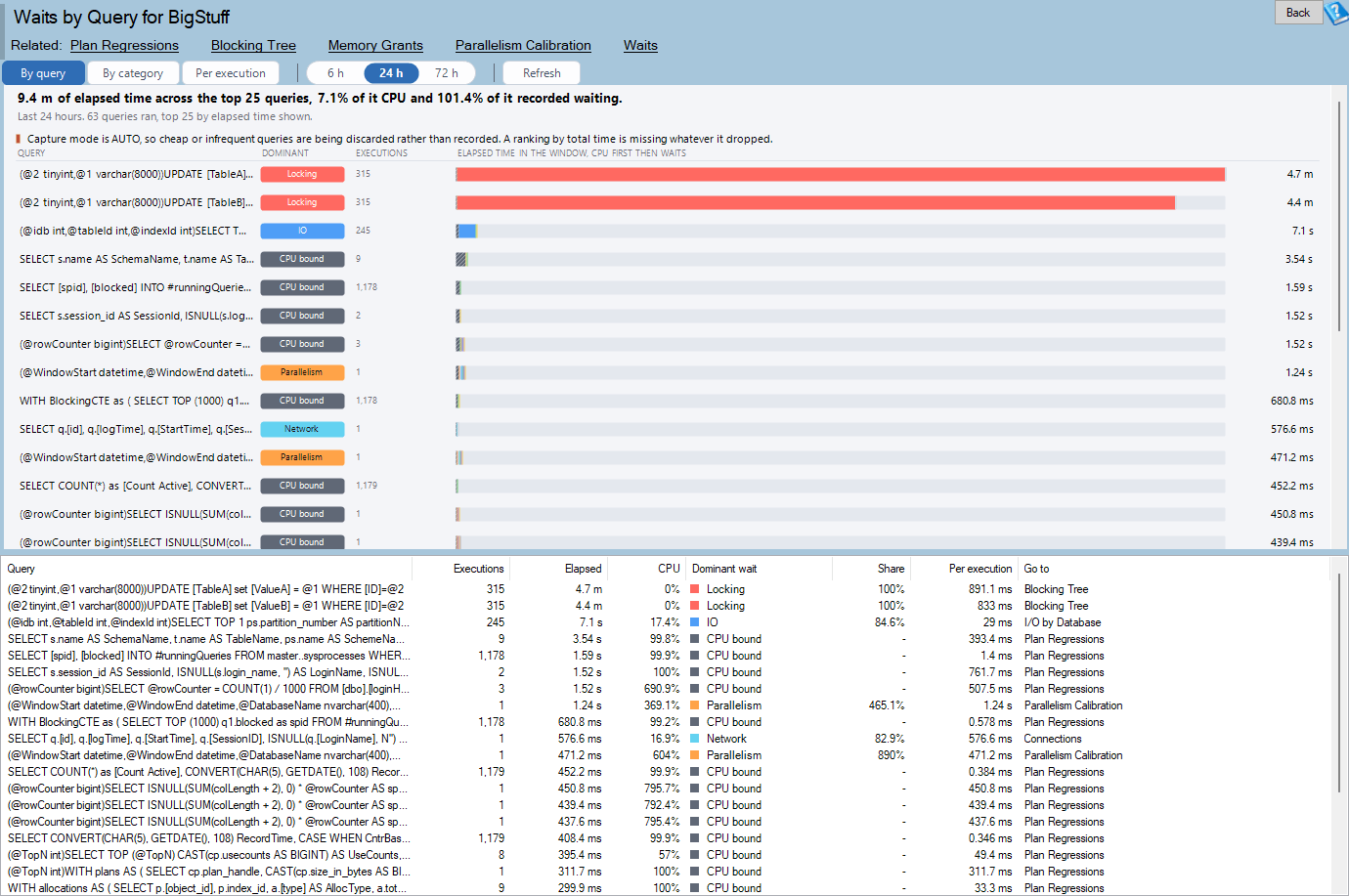
Diagnose waits, blocking and deadlocks
ASYNC_NETWORK_IO, SOS_SCHEDULER_YIELD, WRITELOG and more, plus how to find and fix blocking and deadlocks.
Tune TempDB, VLFs and server settings
TempDB, virtual log files, MAXDOP, cost threshold for parallelism and optimize for ad hoc workloads.
Monitor so problems never surprise you
DMVs, baselines, missing index recommendations and Database Health Monitor.
Why this course works
- Hands-on learning: real-world scenarios and demos, not slides alone.
- Expert instruction: taught by Steve Stedman from decades of client work.
- Comprehensive coverage: from slow queries and indexes to SQL Server internals and server configuration.
- Help when you are stuck: Steve’s mentoring program is available for one-on-one guidance.

Meet your instructor: Steve Stedman
Steve Stedman is the founder of Stedman Solutions and has worked with SQL Server since 1990. He created Database Health Monitor, hosts Stedman’s SQL Server Podcast, and wrote the Common Table Expressions book. Most lessons in this course are taught by Steve, with other members of the team contributing.
The material comes straight from client work: the performance problems Steve sees most often on real servers are the ones this course teaches you to find and fix. If you get stuck on a concept, Steve’s mentoring program is available for one-on-one help.
Course curriculum
18 modules, 80 lessons, 4.5+ hours of video. Lessons marked Free preview can be watched without enrolling.
Course Introduction: 5 lessons, 4 min
- Welcome and Overview (0:59) – Free preview
- Why performance tuning is important
- Reducing licensing costs with performance tuning (2:49) – Free preview
- Making this course
- How to get the most out of this course (0:32)
Server and Hardware Optimization: 1 lesson, 4 min
- Instant File Initialization (4:36)
Query Optimization: 6 lessons, 69 min
- Execution Plan Overview
- Introduction to Execution Plans Presentation (10:47)
- Viewing Execution Plans (20:24)
- Intro to Execution Plans Demo (16:59)
- Execution Plan Operator Details (14:36)
- Statistics IO and Statistics Time (7:11)
Sargability: 2 lessons, 19 min
- What is sargability?
- Sargability Demo (19:50)
Indexing Strategies: 11 lessons, 25 min
- Index Overview
- Different Types of Indexes in SQL Server (11:37)
- Clustered vs Non-Clustered Indexes
- Indexes Explained (10:35)
- Index Design Best Practices (1:27)
- Statistics Maintenance
- Index Maintenance
- Dangers of Maintenance Plan Wizards
- Index Scan versus Seek
- Covering Indexes
- Removing Indexes – Danger (2:03)
Smells: 7 lessons, 21 min
- Introduction to Code Smells (1:06)
- Functions in the WHERE clause (8:21)
- More details Functions in the WHERE Clause
- Leading Wildcards with LIKE
- Parameter Sniffing and Query Recompilation
- Parameter Sniffing Video Presentation (5:12)
- Implicit Conversions (7:16)
Database Design Considerations: 4 lessons
- Choosing appropriate data types and column sizes
- Normalization techniques
- Denormalization
- Partitioning strategies for large tables
Performance Monitoring: 3 lessons, 20 min
- Database Health Monitor (9:21)
- DMV’s
- Finding Blocking Queries (11:37)
Analyzing Wait Statistics: 7 lessons, 14 min
- Analyzing wait statistics and query execution statistics
- ASYNC_NETWORK_IO Wait Type (3:13)
- SOS_SCHEDULER_YIELD Wait Type (2:54)
- PAGELATCH_UP Wait Type (1:28)
- WRITELOG Wait Type (2:30)
- IO_COMPLETION Wait Type (2:15)
- Common Wait Types and Tracking and Improving Waits (2:25)
Isolation Levels: 6 lessons, 7 min
- Isolation Levels Overview
- Isolation Levels Video (7:49)
- NOLOCK and Read Uncommitted
- Read Committed
- Serializable
- RCSI
Performance Tuning Techniques: 2 lessons
- TempDB Optimization
- Temp Tables and Table Variables
Deadlocking and Blocking: 11 lessons, 28 min
- What is a Deadlock (2:42)
- What is Blocking (1:00)
- Why Blocking Happens (2:44)
- Blocking Demo (3:48)
- Deadlock Demo (3:06)
- Differences Between Deadlocks and Blocking (1:53)
- How to Find Blocking (3:49)
- How to Fix Deadlocks (2:26)
- How to See Deadlocks In Database Health Monitor (3:06)
- Prevention and Monitoring (3:06)
- Why Does Seeing Blocking and Deadlocks Matter (1:17)
Missing Index Recommendations: 3 lessons, 4 min
- Missing Index Recommendation Overview
- Database Tuning Advisor
- SQL Performance Monitor – Part of Database Health Monitor (4:28)
Benchmarking and Baselines: 1 lesson, 2 min
- Establish a baseline (2:38)
Managing Databases and Files: 4 lessons, 26 min
- Understanding Virtual Log Files (VLFs)
- What are VLFs (11:30)
- Managing VLFs Best Practices (11:52)
- Real World Stories of VLFs (3:21)
Server Settings: 4 lessons, 10 min
- Max Degree of Parallelism (4:27)
- Cost Threshold for Parallelism (3:39)
- Optimize for Ad Hoc Workloads (2:29)
- Danger – Priority Boost
Sharding for Large Systems: 1 lesson, 4 min
- Sharding in SQL Server (4:27)
Review – Wrap Up: 2 lessons
- Database Health Monitor Course
- Course Completion Certificate
Ready to make your SQL Server faster? 18 modules, 4.5+ hours, certificate included.
From the US-based SQL Server specialists behind Database Health Monitor and Stedman’s SQL Server Podcast, helping clients since 2015.
One price, unlimited access
$149.99
$299.99 regular price. Code PERF50 is applied automatically when you click Enroll.
- All 18 modules and 80 lessons
- 4.5+ hours of video plus sample code and tracking queries
- Unlimited access that never expires, future updates included
- Certificate of completion
- Pay-over-time options are offered at checkout
Secure checkout on Teachable.

Frequently asked questions
Is this a live class or self-paced?
Self-paced. Every lesson is recorded video you can start the moment you enroll and rewatch any time.
How long do I have access?
Unlimited access that never expires, including future updates to the course.
Do I get a certificate?
Yes. A certificate of completion is issued when you finish the course.
Can I pay in installments?
Teachable’s checkout offers pay-over-time options.
What if I get stuck on a concept?
Steve’s mentoring program is available for one-on-one help.
Other ways we can help with SQL Server performance
Prefer we tune it for you?
Our team finds and fixes the slow queries, indexes and settings on your server, usually within days.
Free performance resources
More courses from Stedman’s SQL School
Start the course today
Learn the techniques Steve uses on client servers every week, at your own pace. $149.99 with code PERF50.
Would rather have us tune it for you? Book a free 30-minute consultation.