
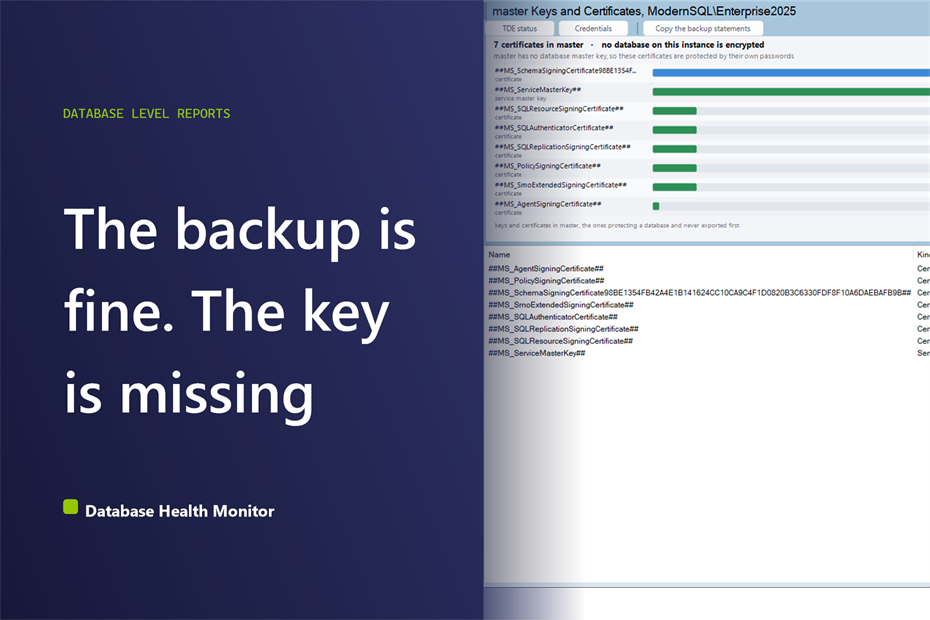
Across client after client, the story arrives the same way. The old server is gone, or going. Someone restores the encrypted database onto its replacement and the restore will not give them a usable database, because nothing on the new machine can read the key. The backup was taken faithfully every night. The key was never backed up at all.
How do I know whether a TDE certificate backup exists before I restore a database to another server? A TDE certificate backup exists only if someone exported the certificate and its private key from master to storage away from the server. Check pvt_key_last_backup_date in sys.certificates. If it is null for a certificate protecting a database, a restore on another server produces a file nobody can open.
This is the exact gap that Database Health Monitor closes with its master Keys and Certificates report. It does not ask which databases are encrypted. It asks the more expensive question: if this server vanished tonight, does the key to those databases exist anywhere else?
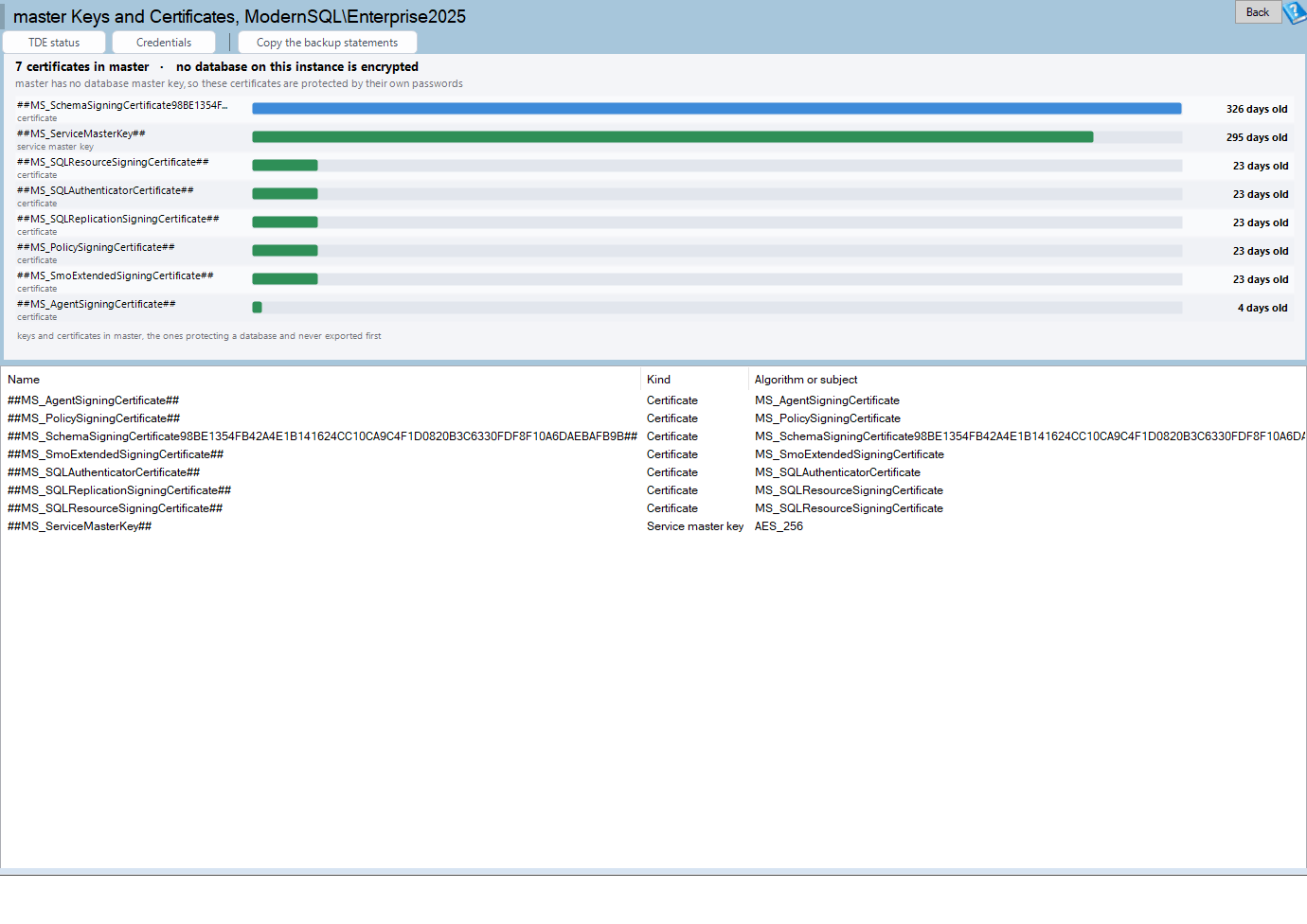
master Keys and Certificates is one of the reports in Database Health Monitor. It runs against your own servers, and it takes about a minute to have this same screen open on one of them.
Why a database backup alone is not a TDE certificate backup
Transparent Data Encryption protects the files on disk. A backup of an encrypted database is encrypted too, which is the whole point. So the backup file is only as useful as the key that opens it, and that key does not travel inside the file.
It helps to see the chain. A database encryption key is protected by a certificate that lives in master. That certificate is protected by the database master key in master. That in turn is protected by the service master key, and the service master key is protected by the machine itself.
Every link in that chain lives on one server. Lose the server and you lose the whole chain, unless somebody exported the pieces on purpose.
The number people reach for, and what it hides
When teams audit encryption, they usually start with the list of encrypted databases and a green status. That tells you TDE is on. It says nothing about recoverability. An instance can show every database encrypted and healthy while the one certificate holding it all together has never left the box.
The second thing people check is expiry. A certificate that expired last year feels like an emergency. It is not. An expired certificate still decrypts what it encrypted. What it cannot do is encrypt something new, and for a TDE certificate that is rarely what anyone is doing. The report treats expiry as a note, not an alarm, because a page that painted every old certificate red would teach you to ignore the color.
That leaves the honest signal, a single column in sys.certificates called pvt_key_last_backup_date. It records the last time the private key was exported. When it is null, nobody ever did. In our experience it is null far more often than anyone expects, and it is the first thing to look at.
What the report puts on screen
Start with the header line. It says how many certificates master holds and whether any database on the instance is encrypted. On most instances the second half is the whole answer, and you can close the page and move on.
If something is encrypted, go to the bars. There is one per key or certificate, ordered so the finding comes first: a certificate protecting a database encryption key with no export date sits at the top, then everything else. When nothing is protecting a database, the bars fall back to age.
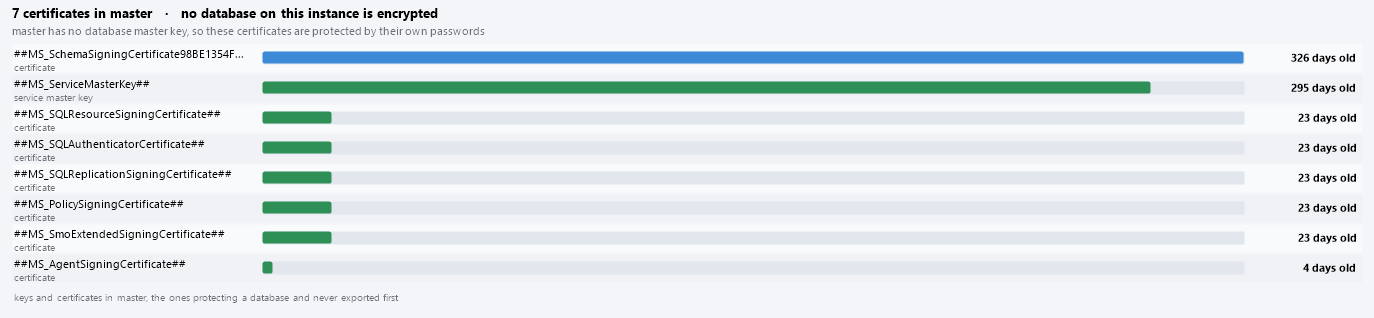
Double click a bar and the report opens TDE Status for that row, listing every encrypted database on the instance. Right click gives you the name, the thumbprint, and the statement that exports a certificate, plus a shortcut to which databases it protects.
The grid columns that decide a restore
Two columns carry the weight, and both sit toward the right of the grid.
- Last exported is
pvt_key_last_backup_date. Blank is the finding this page exists for. - Protects names the database encryption keys that depend on that certificate.
- Protected by shows whether the database master key, a password or the service master key guards the row.
- Thumbprint is how you match a certificate on another server to this one.

What to do with a blank date
Export the certificate and its private key, protect the private key with a password, and store both files away from this server. The toolbar button Copy the backup statements puts the BACKUP CERTIFICATE and BACKUP MASTER KEY statements on your clipboard for the rows with no export date. It copies them without running anything, so you choose the file paths and passwords yourself.
Do the service master key too. It is the root of the chain, and the report lists it for exactly that reason.
On the day of a move, the destination needs the certificate created from the exported file and private key, with the same thumbprint, before the restore begins. Doing that in a calm hour costs a few minutes. Doing it after the source server is decommissioned is not possible at all.
Related reading: if you are cleaning up master anyway, Master Database Size: Read This Row Before the Megabytes covers what else is worth checking in that database. The full column reference for this report is on the master Keys and Certificates help page.
A note on SQL Server versions
The report is shown on SQL Server 2008 and newer. The column pvt_key_last_backup_date arrived later than the rest of sys.certificates, so the column list is built from the instance version. That matters if you write your own check: naming a column a build does not have kills the whole batch at compile time, and no TRY wrapped around it will catch that.
The cost of finding out the hard way is an encrypted database that cannot be recovered. The cost of finding out now is a null in a column. We would take the null.
What to check on your own server
- Open sys.certificates in master and look at pvt_key_last_backup_date for every certificate that protects a database
- Export any certificate with a null date, together with its private key, using BACKUP CERTIFICATE
- Store the exported files and their password somewhere other than the server that holds the database
- Back up the database master key and the service master key with BACKUP MASTER KEY
- Write down each thumbprint so you can match the certificate on the destination instance before a restore
Try Database Health Monitor Today
It shows which certificates and keys in master protect an encrypted database and have never been exported, before a restore on another server finds out for you. Database Health Monitor shows it on every instance you connect, in the time it takes to open the report.
Download Database Health Monitor and run the master Keys and Certificates report against your own server. There is nothing to configure first, and you will know inside a few minutes whether it tells you something you did not already know.