
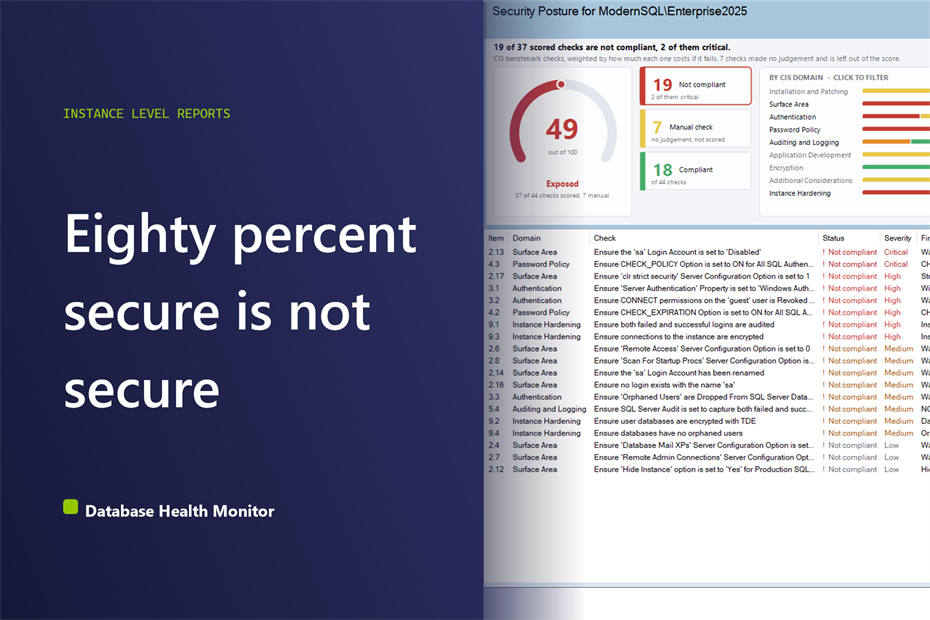
An auditor sends a spreadsheet, or a scanner finishes its run, and the SQL Server instance comes back mostly green. Everybody relaxes. Then somebody opens the logins list and finds that sa is enabled and the password never expires. We see this pattern in shops of every size, and the cause is nearly always the same: a flat security score that treats every check as equal.
How do I get a SQL Server security score that tells me what to fix first? A SQL Server security score is only honest if it weights each check by what failure costs. The best ones run dozens of checks, double the weight at each severity step, leave unscorable checks out, and open on the failures, so a critical finding like an enabled sa account surfaces first.
Database Health Monitor has a report built around exactly this problem, called Security Posture. It does not ask how many boxes you ticked. It asks one question: how hard is this instance to get into? The rest of this post is about why that question is harder to answer than it sounds, and what the screen looks like when it is answered properly.
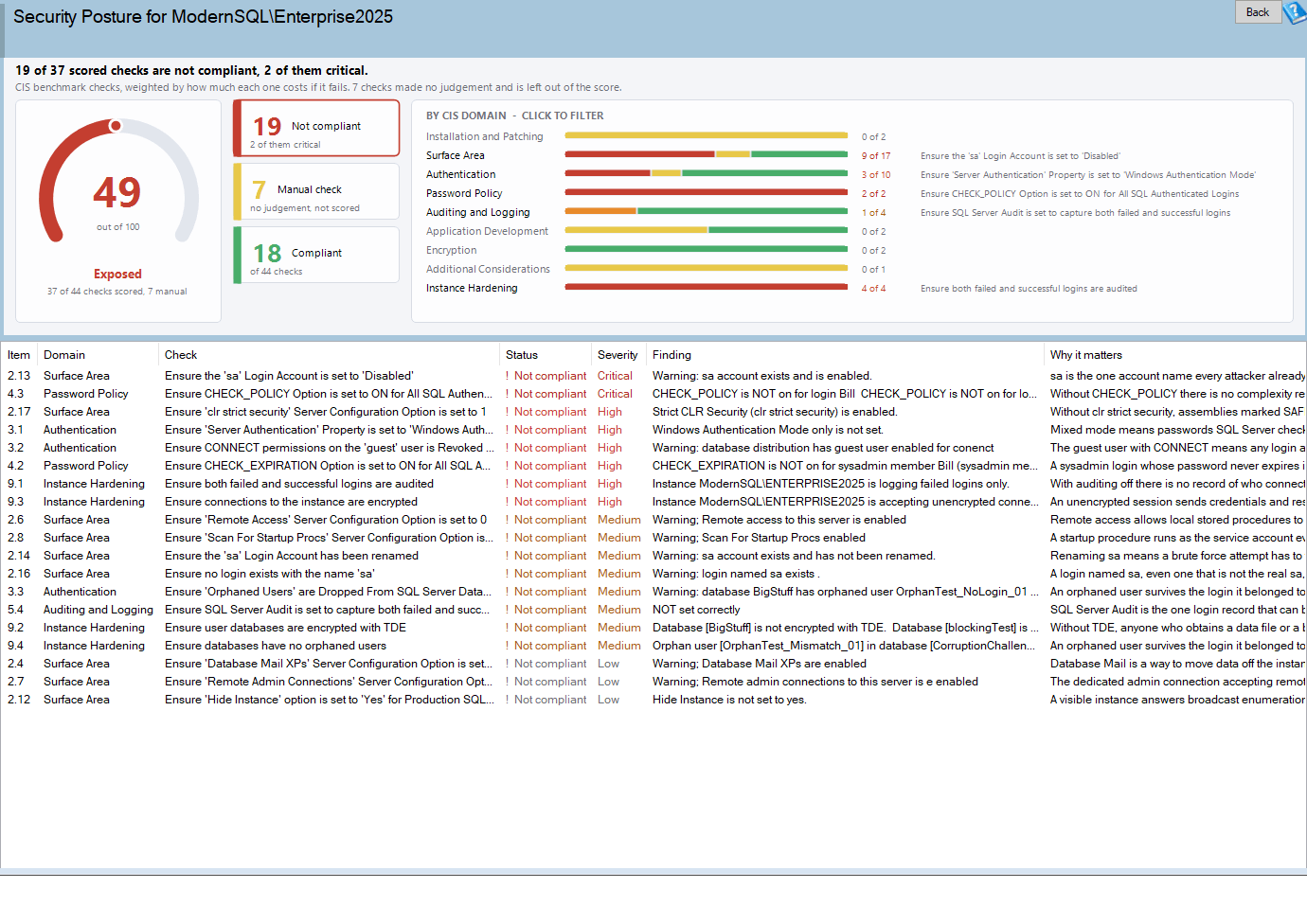
Security Posture is one of the reports in Database Health Monitor. It runs against your own servers, and it takes about a minute to have this same screen open on one of them.
In this post
- Why a plain pass count misleads you
- What an honest security score counts
- The band: counts and domain bars
- The grid: which database, which login
- Four checks the benchmark does not have
- When the report says it could not finish
- What to do with the answer
Why a plain pass count misleads you
The obvious way to grade an instance is to count. Forty four checks, thirty two passed, call it seventy three percent. It feels like measurement. It is really arithmetic on things that are not the same size.
Think about what the checks cover. Some ask whether the sa account is enabled. Some ask whether CHECK_POLICY is on for SQL logins. Others ask about network protocols, the SQL Server Browser service, or the size of a key. A server can fail the first two, which hand an attacker the instance, and still pass a dozen of the others. Count the passes and you get a respectable number. Weigh the failures and you get a very different picture.
There is a second problem, and it is about the report rather than the math. The page this one replaced was called Security. It was built from a string of HTML shoved into an embedded browser control, and because nothing told that control which document mode to use, it rendered as IE7. The result was a long serif wall of headings with horizontal rules between them. Finding the twelve things wrong with a server meant reading all forty four.
It also had faults that were not cosmetic:
- The finding was never printed. The query gathered the name of the offending database or login, then displayed the check title twice. The report could tell you Trustworthy was on and could not tell you where.
- Failures were scattered. The sort dropped the benchmark item number, so the order was alphabetical and a critical finding could land anywhere.
- One blocked check emptied the page. If a single registry read was denied, everything gathered up to that point was thrown away and replaced with two words.
- Links were dead text. Documentation addresses printed as bare URLs in a control where right click was disabled.
Any one of those is an annoyance. Together they meant the people who most needed a security review were the least likely to finish reading one.
What an honest security score counts
Security Posture runs forty four checks. Most are items from the CIS SQL Server benchmark that can be evaluated from T-SQL. Four are the product's own, and we will come to those. The result becomes one number, but the number is built differently from a raw percentage.
Each check carries a severity, and the weight doubles with every step up. A critical check is worth eight times a low one. That is the whole trick, and it is the right one. An instance that fails the enabled sa check and the CHECK_POLICY check can no longer coast on a handful of passed protocol checks, because those passes are small and the failures are not.
The bands are blunt on purpose.
| Band | Score | What it means for you |
|---|---|---|
| Well hardened | 95 and above | Nothing outstanding worth acting on |
| Some gaps | 80 to 94 | Real findings, none of them urgent |
| Needs attention | 60 to 79 | Something on the list belongs on the schedule |
| Exposed | Below 60 | Something on the list should be done today |
Eighty is a pass in school. In security it lands you in the second band, and we think that is correct. A system that is eighty percent of the way to secure is, from an attacker's side, a system with a door.
The checks that do not count
Some questions cannot be answered from T-SQL at all. Is the latest cumulative update installed? Is application input sanitized? A few other checks come back as not applicable. The report shows these, counts them, and removes them from both the top and the bottom of the fraction, so an instance is not marked down for tests nobody has automated. A line under the arc tells you how many were scored, along the lines of 37 of 44 scored and 7 manual.
That line matters more than it looks. It is how you know whether two instances are comparable. If both ran the same set of checks, yes, their scores line up. If one had six checks it could not read, it was graded on what was readable, and the line under the arc says so.
The band: counts and domain bars
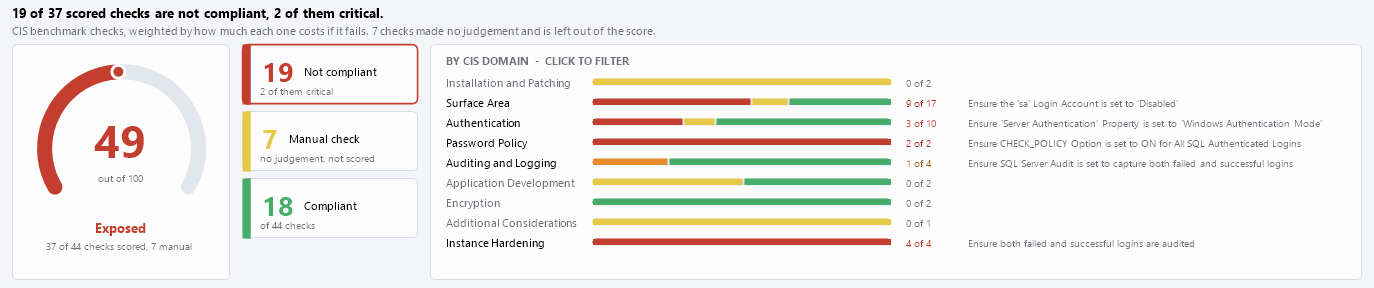
Under the score sit three tiles: not compliant, manual check, and compliant. Each is a filter. Click one and the grid shows only those rows; click again and it lets go. The first tile also tells you how many of the failures are critical, and that is the figure to read first.
Here is why. Imagine sixteen failures. If none are critical, that is a week of tidying that can be spread across a team. If three are critical, that is an evening, and it starts now. The raw count is the same in both cases. The critical count is what separates them.
The bars below break the instance into its benchmark domains. Each one shows failures, manual checks and passes, a count of the failures, and the name of the worst failing check in that domain. The domains are:
- Installation and Patching, covering cumulative updates and what else runs on the box
- Surface Area, the options and features that widen what can be reached
- Authentication, covering who can connect and what the public role and guest user can see
- Password Policy, meaning
CHECK_POLICYandCHECK_EXPIRATIONon SQL logins - Auditing and Logging, including login auditing, the default trace and error log retention
- Application Development, such as input sanitizing and CLR permission sets
- Encryption, which looks at symmetric and asymmetric key sizes
- Additional Considerations, which is the SQL Server Browser service
Every bar is the same length, whatever the number of checks in its domain. That is a choice, and a good one. The question a bar answers is how much of this domain is failing, not which domain has the most checks. The numbers beside the bar carry the absolute counts. Click a bar to filter the grid to that domain, and click the score card to clear every filter at once.
The grid: which database, which login

The grid is where the old report fell down hardest, so it is where the rewrite spends its effort. Rows sort failures first, worst severity first within that, then manual checks, then passes. The item number sorts as a number, which sounds trivial until you remember that 2.10 sorts before 2.9 as text.
The column that earns its place is Finding. It names the database, login or setting at fault, and when a check hits several, it shows the first few and a count of the rest. Next to it, Why it matters gives one sentence on what goes wrong if you leave it alone. Severity is blank on a pass, because a pass has no cost. Status is never carried by color alone, so each row has a glyph and a word too.
A few actions are worth knowing. Double-click a row and the documentation for that setting opens. Right-click gives you a copy of one finding, with the status, every message and the link, or a copy of everything currently shown, headed with the score. That last one is built for pasting into a ticket. The full reference for every column and action is in the Security Posture documentation.
Four checks the benchmark does not have
The benchmark is a good list, but it was written for everyone. Four extra checks, numbered 9.1 to 9.4 so they sort after the benchmark sections, fill the gaps we kept running into on real servers.
| Item | Check | Why we added it |
|---|---|---|
| 9.1 | Failed and successful logins are both audited | The benchmark covers failed logins. This one reports the actual audit level the instance is set to. |
| 9.2 | User databases use transparent data encryption | Applies to SQL Server 2019 and newer, where TDE is available on every edition. |
| 9.3 | Connections to the instance are encrypted | Reads the encryption setting of every connection open right now. |
| 9.4 | No orphaned users in any database | Needs sysadmin, and says so rather than quietly passing when it lacks it. |
The audit level matters because evidence is half of security. If nobody recorded the failed logins, an attack that happened is an attack nobody can prove. We covered how to read what does get recorded in Reading the SQL Server Error Log Before It Reads You.
The orphaned user check is the one we want to stress. It walks every database, and it cannot do that without sysadmin. When it does not have that right it reports the gap instead of returning a clean pass. A silent pass is the worst possible answer from a security tool, and we would rather you see a notice than a false reassurance.
When the report says it could not finish
Security checks read things that ordinary accounts are not allowed to read, such as registry values and every database's user list. So sooner or later you will connect with an account that is missing a permission. Here is what happens now, and how it differs from the old behavior.
A check that stops part way no longer takes the page with it. You get a notice that some checks could not be completed, the row for the affected check carries the error text, and every other result stays on screen. The usual cause is a registry read the connected account may not make.
Two other messages are worth recognizing. One says the orphaned user check needs sysadmin, and the fix is what it sounds like. The other says none of the checks returned an answer at all. That points at the connection, so look at the permissions on the account first. On a server older than SQL Server 2008 the report declines to run, because several checks depend on configuration values those versions never reported.
What to do with the answer
Start with the critical count and work down the grid in the order it gives you. Critical means failing hands an attacker the instance. High means a barrier is gone or the evidence is hidden. Medium widens what someone already inside can reach, and Low is hygiene. Those severities are judgment calls, and they live in a single file in the product so they can be argued with.
One thing catches people out. You fix something, rerun the report, and the security score goes down. That looks like a bug, and it is not. If a check that previously could not be read now returns a failure, it has joined the scored set. The instance did not get worse. The report can simply see more of it, and the manual count will have dropped to prove it.
If the report lands in the lower bands and nobody on your team has the time to work through it, that is a perfectly ordinary situation, and it is one we help with on client servers. A first pass with a sorted, named list of findings is a far better starting point than an unexplained percentage.
A number on its own is never the point. The point is a short, ordered list of what to fix, with the worst thing at the top and the name of the database next to it.
What to check on your own server
- Read the line under the score arc to see how many checks were actually scored and how many were left manual
- Count the critical failures before you look at the total, because that number decides whether this is an evening or a sprint
- Fix the failing rows from the top of the grid down, since they are already sorted worst severity first
- Connect with a sysadmin account so the orphaned user check can walk every database instead of declining to answer
- Copy every finding shown into a ticket, headed with the score, so the remaining work has a written starting point
Try Database Health Monitor Today
The Security Posture report scores forty four security checks by what each failure costs and opens on the ones that failed, so the critical findings never hide behind a pile of passes. Database Health Monitor shows it on every instance you connect, in the time it takes to open the report.
Download Database Health Monitor and run the Security Posture report against your own server. There is nothing to configure first, and you will know inside a few minutes whether it tells you something you did not already know.