
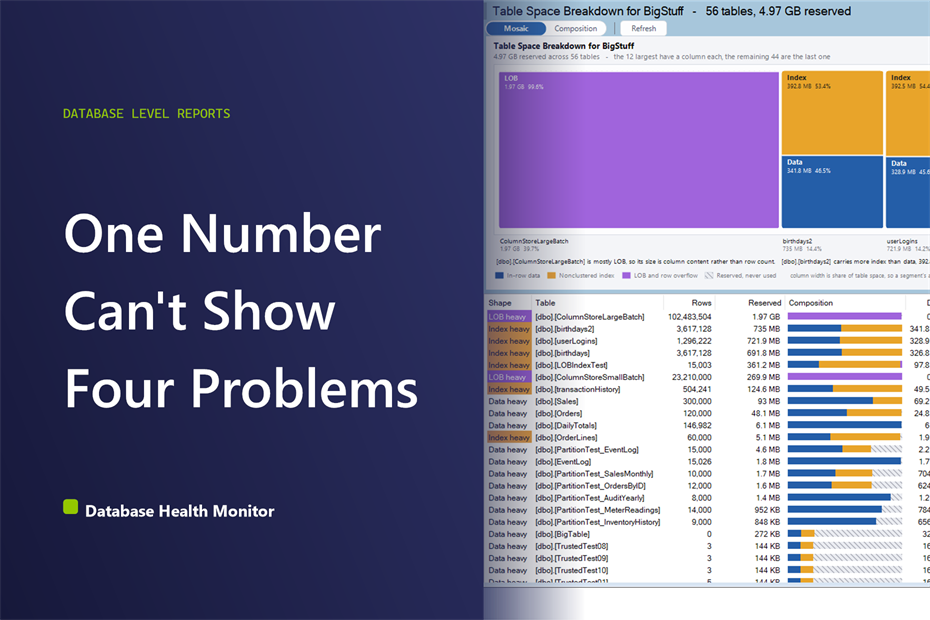
A table that used to close its nightly backup in five minutes now takes twenty, and nobody added that many rows. Nothing else changed. A drive with months of headroom left is suddenly down to weeks. Ask around and you'll hear three guesses back to back: it's the indexes, it's the LOB data, it's just a big table now. Nobody actually knows, because the one number everyone is staring at is reserved space, and reserved versus used space are two very different questions with two very different answers.
How can I see reserved versus used space for a SQL Server table? Reserved versus used space is the gap between what SQL Server allocated to a table and what it actually wrote: in-row data, nonclustered index, LOB and row overflow, and space reserved but never touched. A table is only worth reclaiming when unused space passes both 25 percent and 512 MB, reclaimed with an index rebuild.
What everyone checks first
The usual first move is sorting every table by size and looking at the top of the list. That tells you which table is biggest, which is useful, but it is one number standing in for four different things that could be happening underneath it. A 200 GB table could be 200 GB of rows nobody can archive. It could be 150 GB of nonclustered indexes nobody queries. It could be 40 GB in a text column that never got normalized, or half of it sitting reserved and empty since a load job years ago. A size ranking cannot tell those apart. It only tells you where to look next.
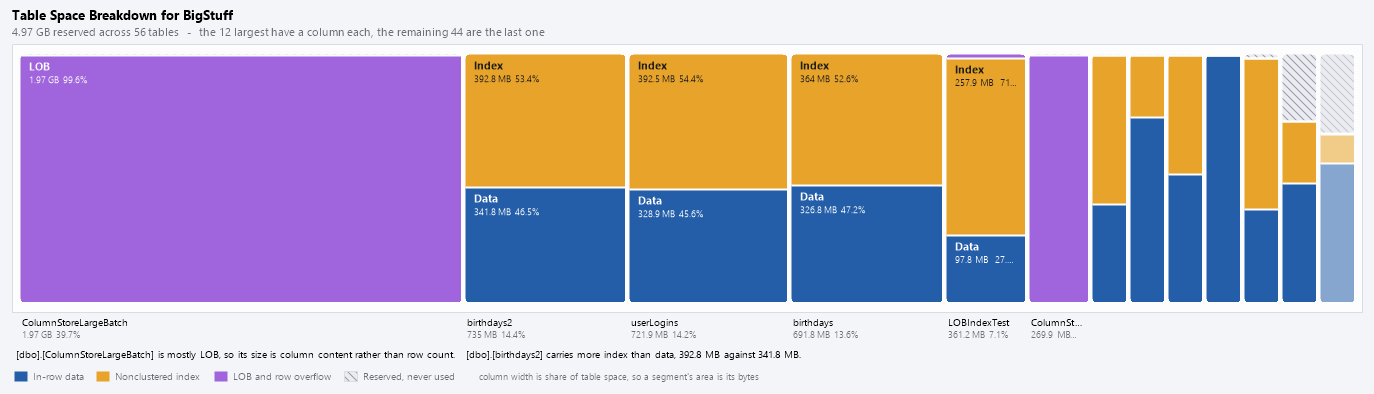
Table Space Breakdown is one of the reports in Database Health Monitor. It runs against your own servers, and it takes about a minute to have this same screen open on one of them.
Reserved versus used space, not row count
Every table reserves space for four different reasons, and only two of them are really about the data. There are the rows themselves, sitting under a clustered index or piled into a heap. There is the nonclustered index, a second or third copy of some of those same rows, kept purely for lookups. There is LOB and row overflow, the column content SQL Server pushes off the main page when it does not fit. And there is space reserved but never written to, which is not a fifth kind of data. It is nothing at all: room the table was given and has not touched. Add the four together and you get reserved space, exactly, with nothing left over and nothing hidden.
The four shapes a table can take
Once the four bands are visible, tables sort themselves into one of four shapes. Three of them are just information. The fourth is an invitation.
| Shape | What it tells you |
|---|---|
| Just big | Mostly row data. Nothing is wrong here; archiving is the only real lever. |
| Index heavy | More nonclustered index than data. Worth checking against unused or duplicate indexes. |
| LOB heavy | Column content, not row count, drives the size. Index tuning will not touch it. |
| Slack heavy | Reserved space sitting empty and unused. The one shape that can actually be handed back. |

Why this catches what row counts and index tuning miss
The reason this needs a different query, not just a smarter sort on an old one, comes down to how SQL Server's own catalog groups things. Split space by index type, the older approach, and a heap comes back as neither clustered nor nonclustered, so its size has nowhere honest to land. LOB and row overflow have no bucket at all in that scheme. They get folded into whichever index happens to own them, which quietly hides the most common reason a table looks too big for its row count. Split space by allocation unit instead, using 'sys.partitions' and 'sys.allocation_units', and a heap needs no special case. Off-row content finally gets counted as itself instead of disappearing into something else.
What to do once you know the shape
None of this replaces a plain ranking by size. If the only question is which table is biggest, How to Track SQL Server Table Size Before It Surprises You is still the faster page to open. This one earns its keep once that question is answered and a different one shows up: biggest according to what. An index heavy table is worth comparing against Unused Indexes and Duplicate Indexes before anyone brings up archiving. A slack heavy one usually just needs an index rebuild to repack the pages. A file shrink is a separate, blunter operation, and it is worth checking Files and File Utilization before reaching for it.
- A single column filling most of the chart, which usually means the size question already has its answer.
- Any column outlined or heavily hatched, since that is the one shape that is actually reversible.
- A band of column content taller than the row data itself, which no index tuning will shrink.
- An index band taller than the data band, worth comparing against the indexes actually being used.
What to check on your own server
- Query sys.partitions and sys.allocation_units for your largest table and compare rows, index, and LOB page counts by hand
- Compute reserved space minus used space for that table to see how much is genuinely empty
- Flag it as worth reclaiming only if the unused share is at least 25 percent and at least 512 MB
- Rebuild the index on any table that clears both thresholds before considering a file shrink
Try Database Health Monitor Today
It turns a single table size number into the four things actually consuming that space, so you know whether to archive, tune indexes, or just rebuild and get the room back. Database Health Monitor shows it on every instance you connect, in the time it takes to open the report.
Download Database Health Monitor and run the Table Space Breakdown report against your own server. There is nothing to configure first, and you will know inside a few minutes whether it tells you something you did not already know.